How to log in/out - Mobile
How to log into or out of the Harvest mobile app

Cal Doval
Dec 4, 2025
Before you begin, make sure you have:
- The UC Davis Harvest application installed on your iPhone
- Your Kerberos login credentials
- A Worker or higher role on Harvest
Logging In
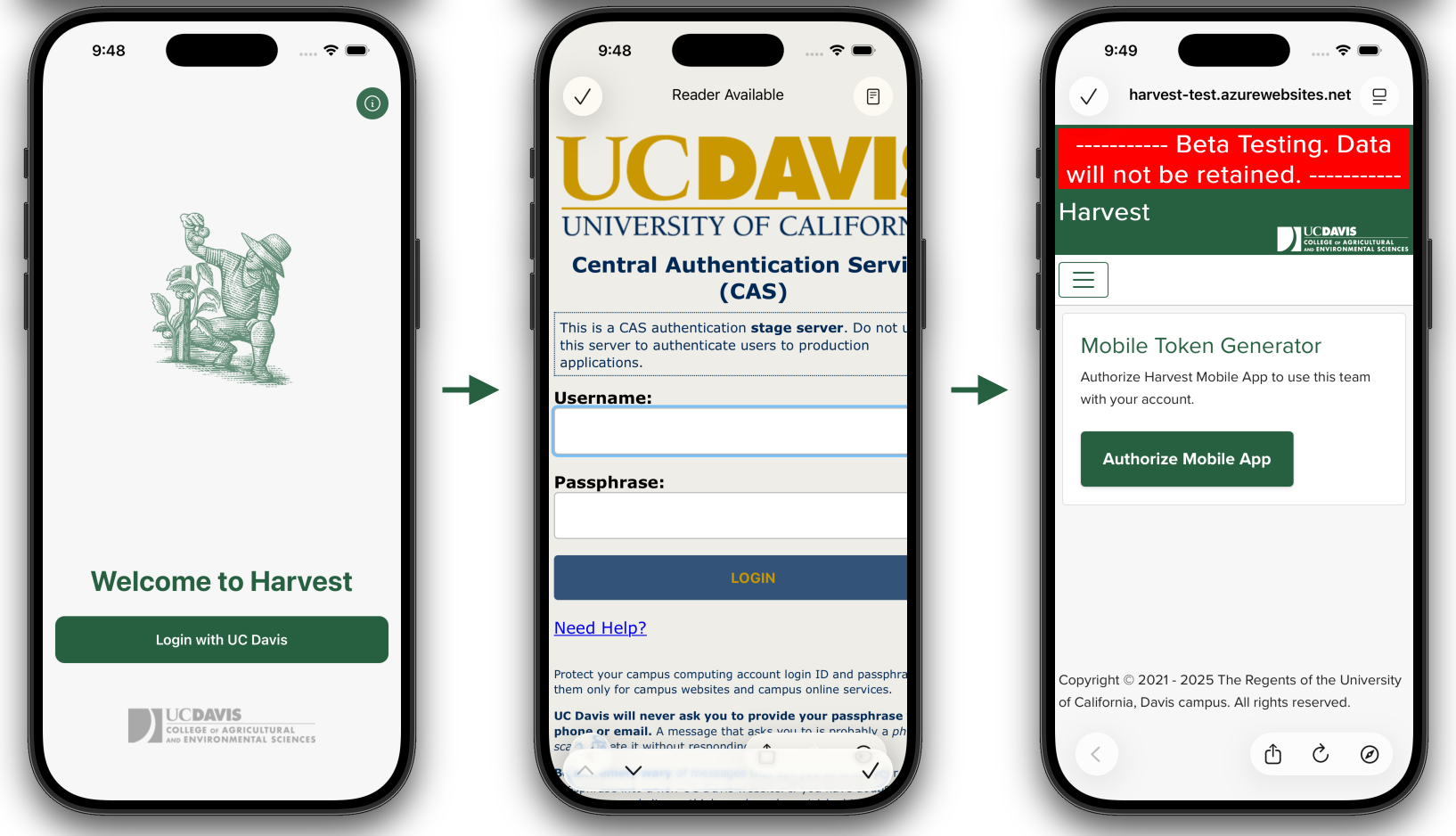
- Open the Harvest app after installation to access the login screen.
- Tap the green “Login with UC Davis” button.
- You will be redirected to CAS Authentication. Enter your Kerberos credentials.
- After authenticating, you will be taken to the Harvest website. Tap “Authorize Mobile App”.
- You will be redirected back to the app’s homepage. You are now logged in.
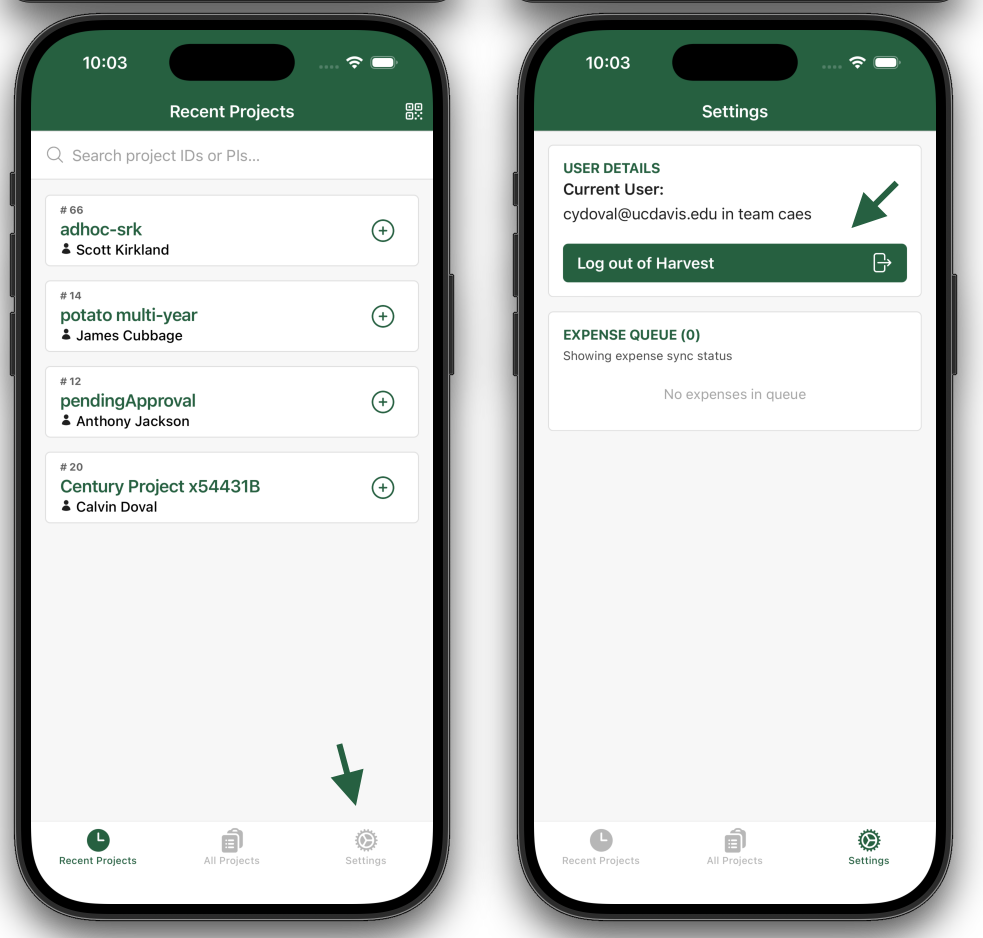
Logging Out
- Navigate to the Settings tab on the right side of the bottom navigation bar.
- Tap “Log out of Harvest”.